

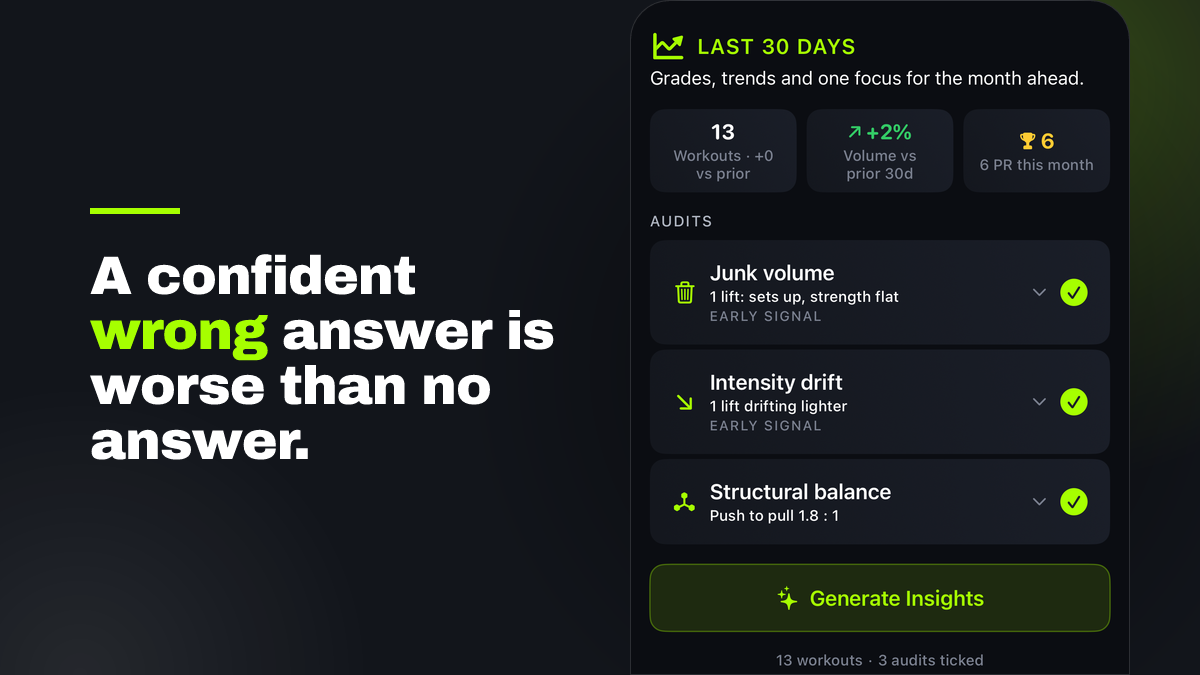
Finish a workout in Trainlike and you get a read on it right away. But no single workout can show you the shape of a month: whether the weight is quietly sliding, whether those extra sets are doing anything, whether your training has tilted to one side without you noticing. That is what the 30 and 90 day analysis is for.
On top of that analysis you can now aim three specific checks at the block. They are optional, you tick the ones you want, and the app runs them over the whole window and then explains what it found. They are the kind of checks a good coach runs when they look back over a training month.
They are also only as good as the training you have logged, so before the three, one honest note that applies to all of them.
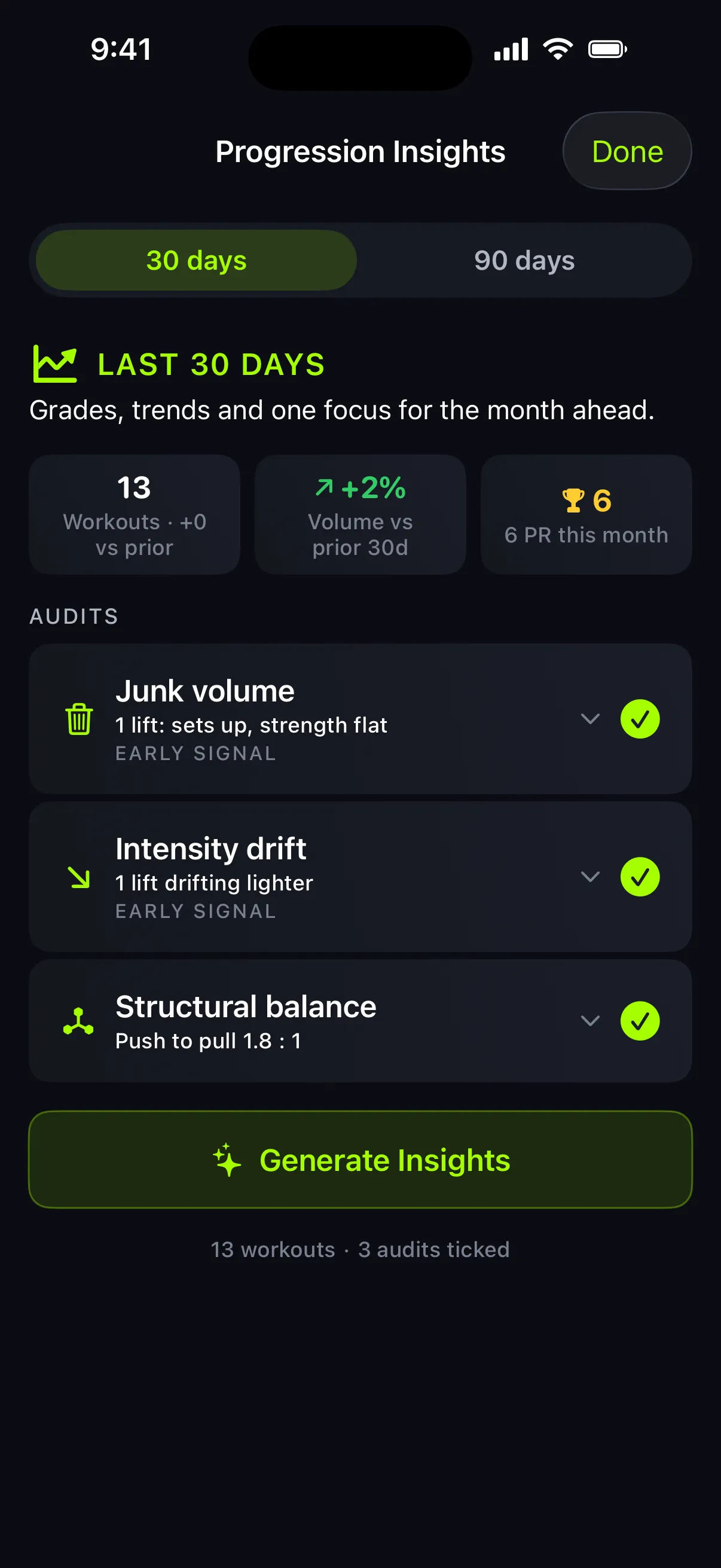
They are built to be careful
These checks are deliberately conservative, because a confident wrong answer is worse than no answer.
A lift is not judged at all until you have trained it enough to judge, several workouts spread across the window, with work in both halves. Small changes are treated as normal variation, not a trend. And the length of your history sets how loudly the app speaks: over a short window it calls a pattern an early signal worth watching, not a verdict, and it takes more history before it will state the same pattern as a finding. If you have only logged a handful of workouts, treat everything here as a first sketch that gets sharper the more you train.
None of these checks diagnose anything medical, and none of them can see your sleep, your stress, your technique, or what you intended a given week to be. They read your logged training and nothing else.
.D_eIVzBU_1VSbeY.webp)
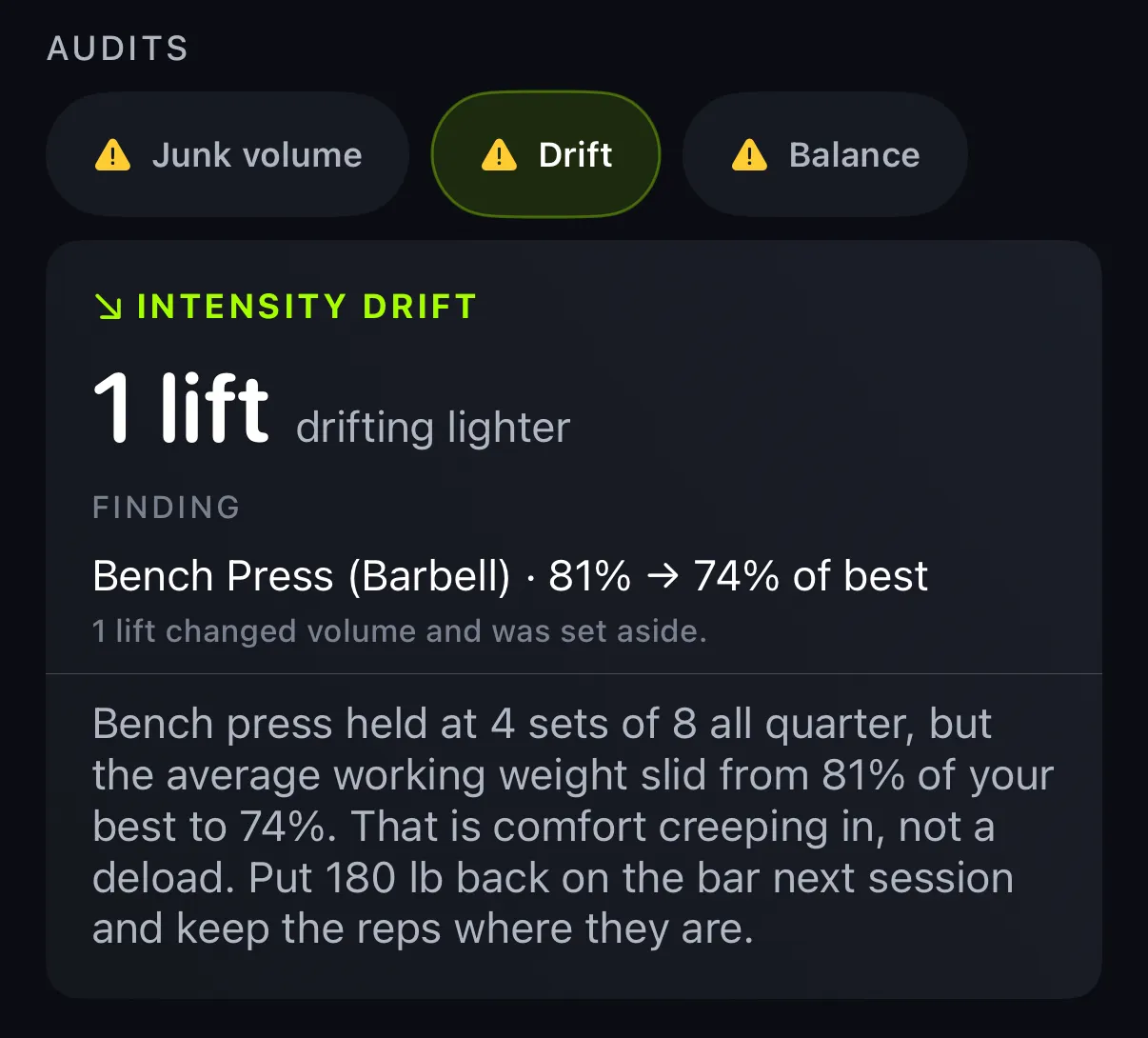
Intensity drift
In plain terms: are you quietly lifting lighter for the same work?
It looks for lifts where your sets and reps held steady but the weight on the bar slid down over the window. If you log effort with RPE, it also catches the other version: the same weight starting to feel harder than it used to. Coaches have a name for both, autoregulation and RPE creep, and a downward drift is one of the classic reasons to program a deload.
What it will not do: mistake a plan for a problem, at least not on purpose. A lighter stretch is often a deliberate deload or a hypertrophy phase, not backsliding, so the app sets aside lifts whose volume clearly changed, and where a lighter block is plausible it says so rather than scolding you. And if you do not log RPE, remember it is reading the weight on the bar, not how hard the set felt. That is a strength trend, which is real and useful, but it is not the same as measuring effort.
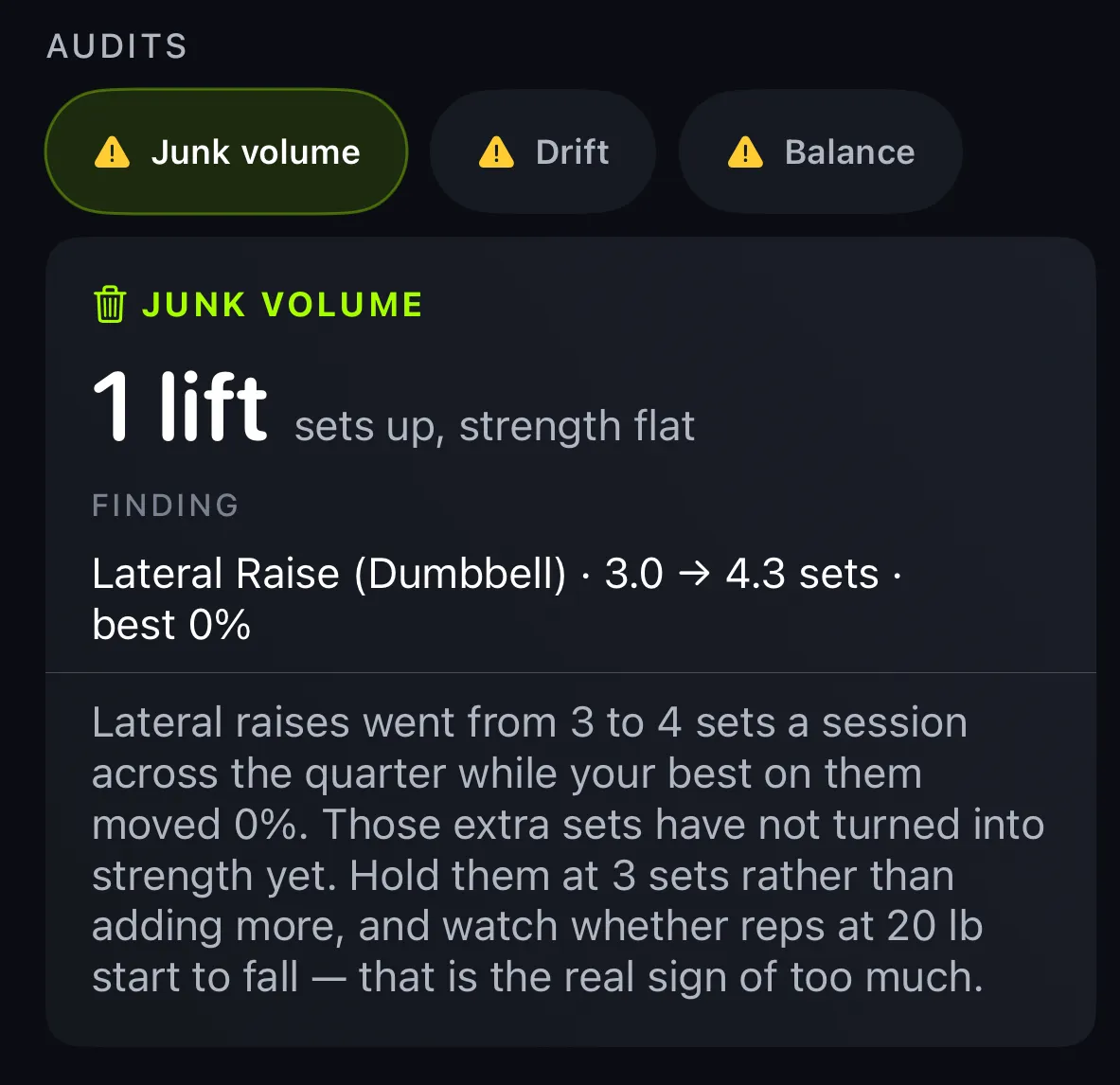
Junk volume
This is the one to read most carefully, so here is exactly what it does and does not claim.
It flags two things. First, lifts where you added sets over the window but your strength on them did not move. Second, and only if you log effort, sets you stopped well short of failure. The idea behind it is the volume landmark thinking most coaches use: enough hard sets to grow, without piling on so many that fatigue outruns what you can recover from.
Now the honest part. More sets can still build muscle even when your top end strength is flat, so a flag here is a nudge to take a look, not proof that a set was wasted. It is most useful when your goal is strength, or when you are logging effort and a lot of your sets are stopping easy. Without effort logged it cannot tell a hard set from an easy one, so it does not try, it simply says nothing about effort. Read it as a question worth asking, not an instruction to cut work you might actually need.
Structural balance
In plain terms: has your training tilted to one side?
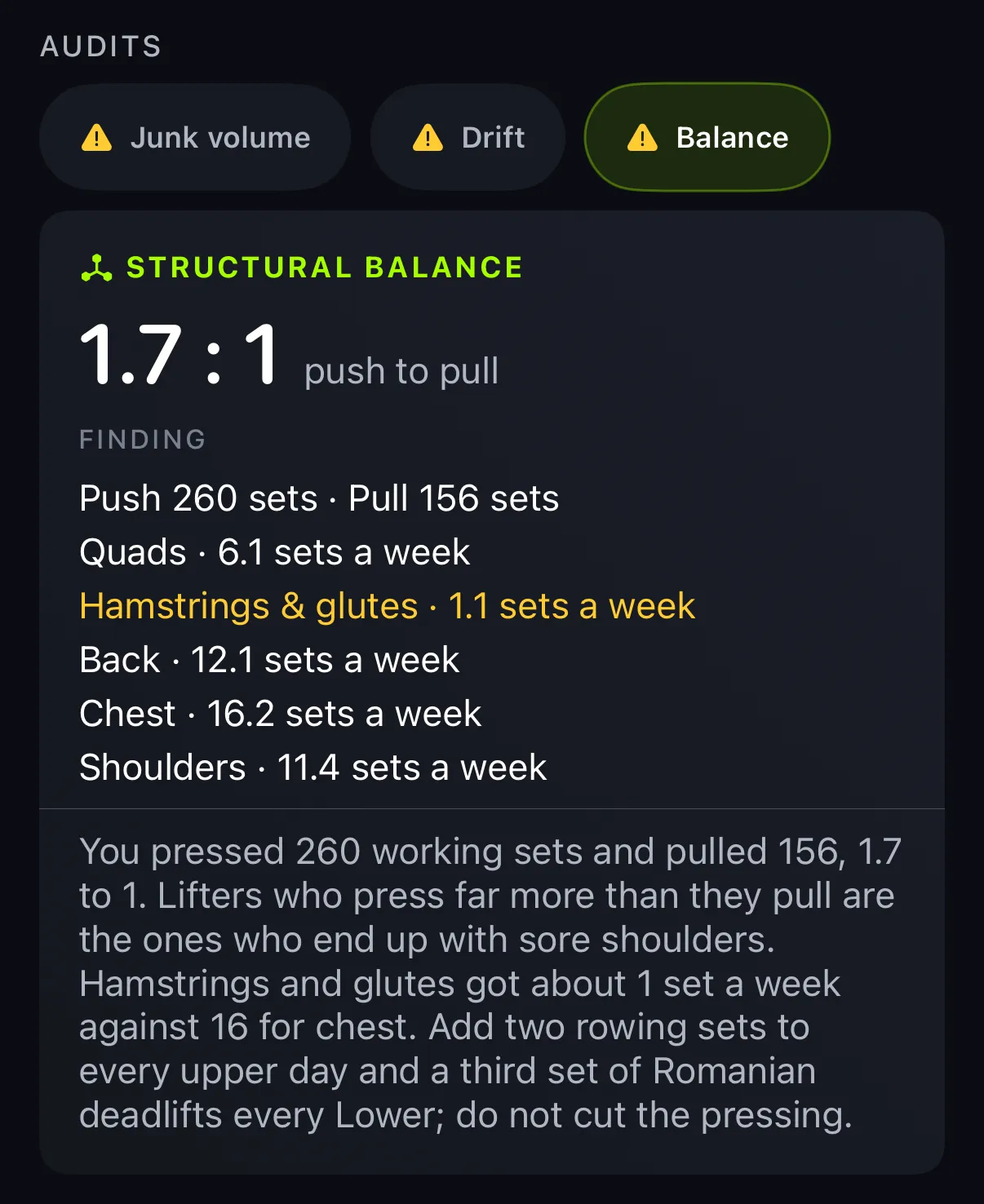
It compares how much of your work goes to pushing versus pulling, and it flags a muscle group that is getting far fewer sets than the rest of your body. The most common tilt, by a wide margin, is pressing far more than pulling, and keeping your pulling volume at least even with your pressing is standard, uncontroversial programming advice.
What it is not: a strength ratio, a body scan, or a diagnosis. It is a read on how your sets are distributed, nothing more. Every good program emphasizes something on purpose, so a tilt is a prompt to check your intent, not a rule you broke, and it only compares lifts you have actually trained in the window.
A lens, not a verdict
That is the whole spirit of these checks. They are three ways to look harder at a month you already trained, each honest about the edge of what it can see. They get better the more you log, and the more you tell the app, effort especially, the more it can say.
The point of all of it is the same as the rest of Trainlike: stop guessing. You still make the call. The app just makes sure you are making it with the month in front of you, read three different ways.